




Hi to the Qlik & Inphinity community and welcome to the new release of Inphinity Forms.
This release brings new functionality to both areas – business apps developed in Qlik using Inphinity as well as planning use cases.
Default values and a single form that creates new records will automatically move your business apps to the next level.
If you use Inphinity Forms Planning, you may appreciate the option to hold cells to fix their values from any further distribution or adjustment spread update.
Let’s explore them.
Default Values
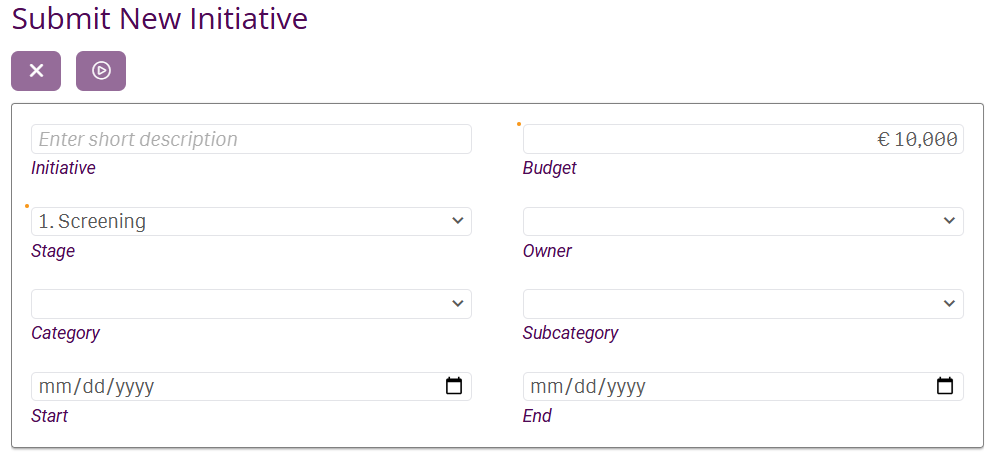
When a new record is created, some cells can be prefilled by default values to make it easier for end users. When creating a record about a new employee, it could be a starting date prefilled by the first day in a next month – with an option to manually update it. If you have a country selected in your CRM Qlik application, a new record could have this country predefined.
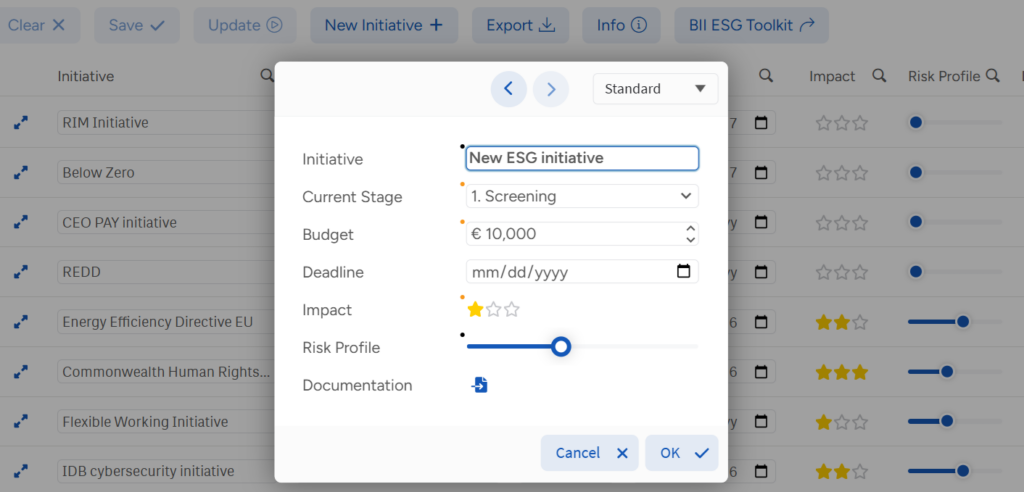
Closely linked to default values is the new state supported for Forms Single Record – “Add only state“. In this state, the form is not linked to Qlik data model, it doesn’t require any selections, and always ready to create new record. Risk management or incident management business apps will be even more intuitive.
The screenshot above is from the ESG Initiatives demo application.
Note that since this release, automatically generated keys for new rows will be a default options for all new objects.
And Forms Single Record is even better – when you need to make selection to drill down into one record, the displayed message is now cusotmizable and can contain filters to make those selections.
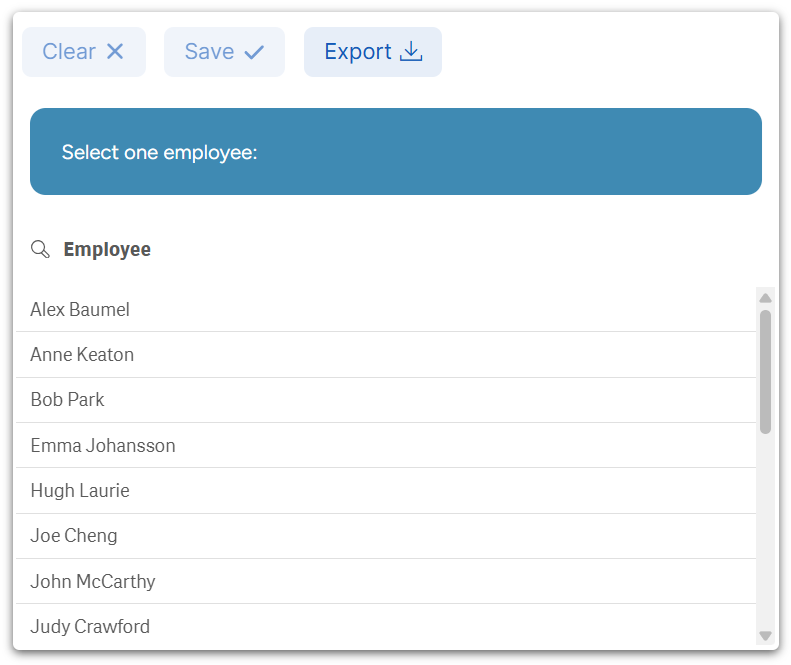
The screenshot above is from the HR Team Management demo application.
Hold Cells in Forms Planning
If you seek an advanced functionality of standalone planning tools inside Qlik, where your data is, Forms Planning is the right choice. Since this release, you are even able to hold particular cells and fix their values so they are not modified by any further distribution, aggregation or adjustment spread.
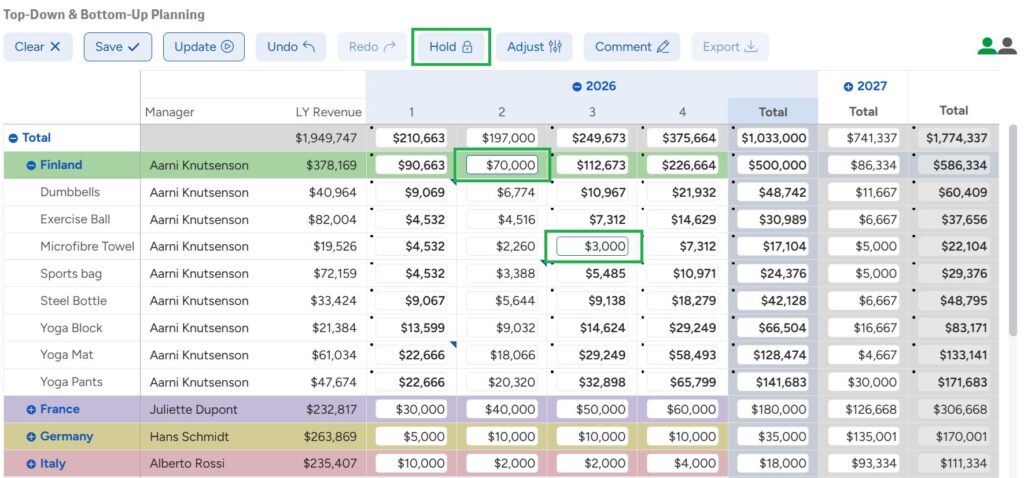
The screenshot above is from the Sales Planning & Forecasting demo application.
Rich-text Options
When building the application, you can now enable end users to use rich-text options inside Inphinity forms, such as bold, italic, hyperlinks, lists.
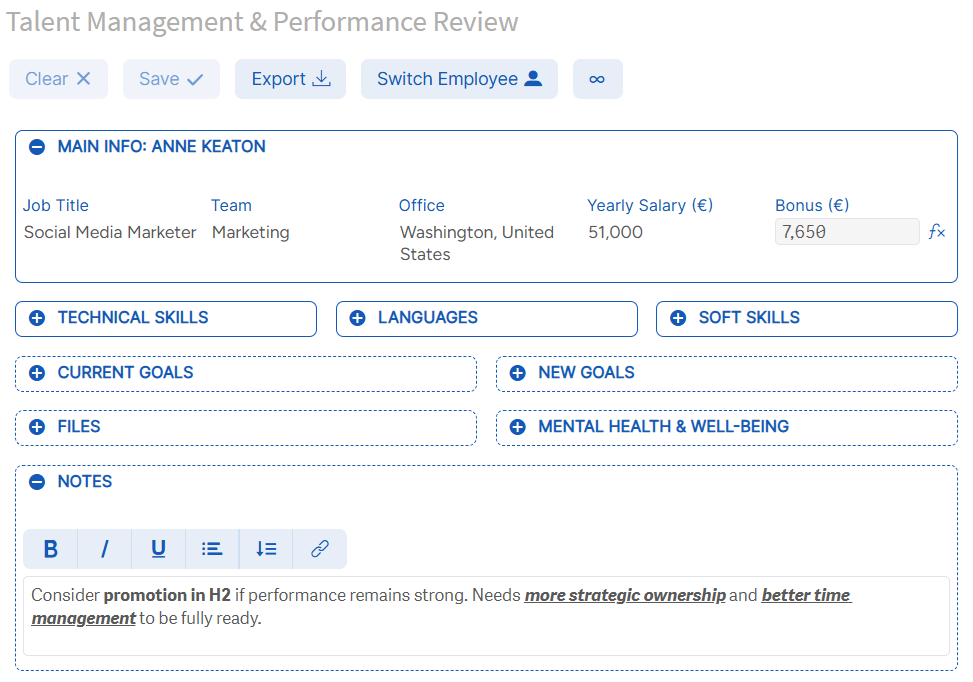
The screenshot above is from the HR Team Management demo application.
With this functionality being available in Forms Single Record, Forms Specific -> Dimension notes is deprecated and will be removed in Q1 2027.
Other Improvements
In this release, we also introduced two important enhancements for Full SaaS deployments:
- A unified URL for Inphinity SaaS installer for all regions to install and upgrade Inphinity
Default form instances
As always, we also fixed reported bugs. You can find the full changelog here.
Watch the TechTuesday video series for more inspiration.
Follow us on LinkedIn.
Enjoy Inphinity 😉!