



Hi Qlik and Inphinity community,
Welcome to the latest Inphinity release.
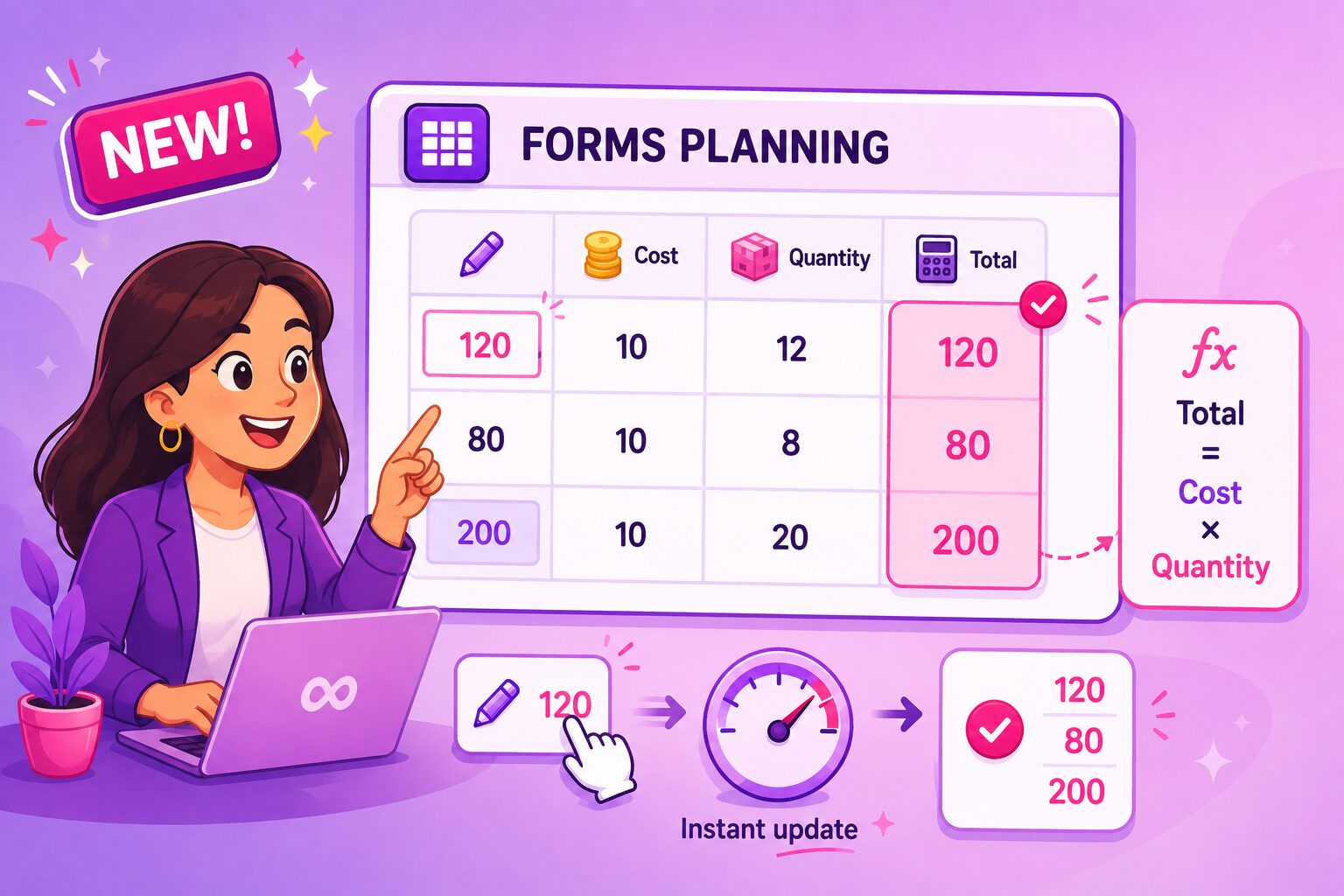
This release brings a major improvement to the Forms Planning object, the editable pivot planning – autocalculated measures already known from Forms General. You can now define a measure refering to other measures, including editable cells, that is updated instantly upon changes – even before saving the updates.
Forms General and Forms Single Record supports two new actions from now on – Copy row and Paste row. When enabled, end users can easily copy and paste rows either using a toolbar button or a right-click context menu.
Let’s take a closer look at what’s new.
Autocalculated Measures in Forms Planning
Autocalculated fields are already well known from Forms General and Forms Single Record objects. They are the fields refering to other measures, Qlik variables, or even editable cells and are updated whenever a user changes someting – even before the updates are saved.
This makes them ideal for fast simulations and what-if scenarios with only the final result being saved in the underlying data storage. This option can now be enabled for measures in Forms Planning.
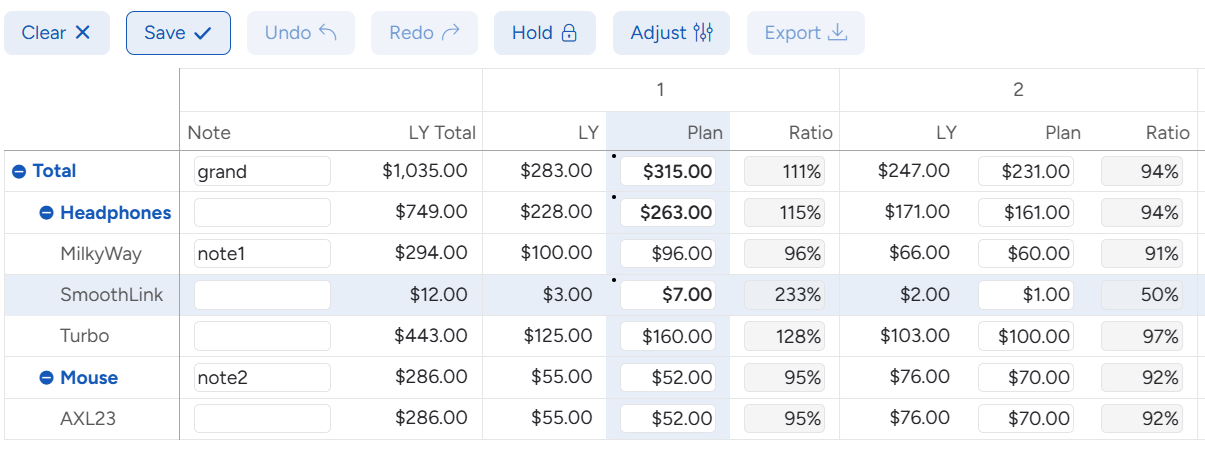
At aggregated levels, the same expression is evaluated as for leaf cells. This is useful for comparative analysis, such as comparing forecast values with last year by quarter or month. In the example below, the Ratio for Headphones is calculated as Plan / LY, rather than as a sum or average of its leaf cells. Additional aggregation options will be added in future releases.
The following example is from the HR Team Management demo application – both Availability and Utilization are autocalculated measures.
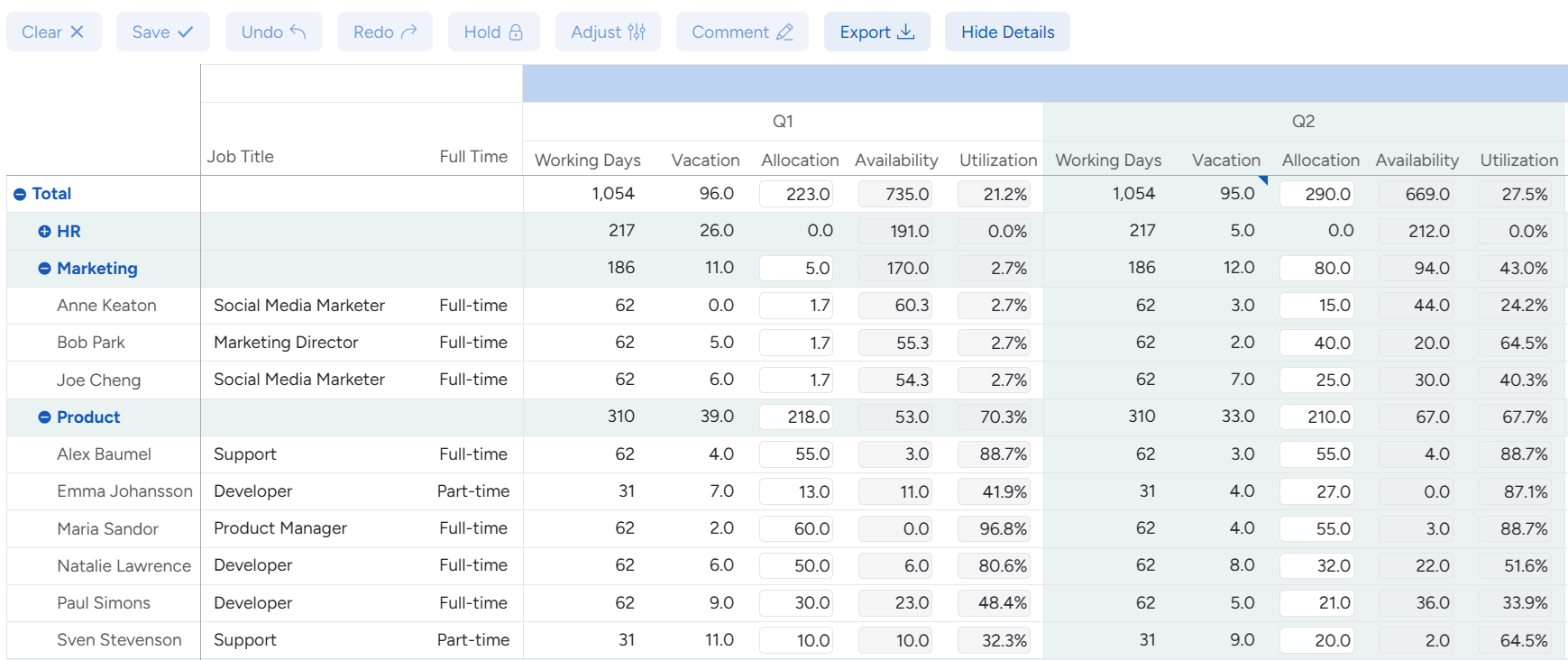
Note that in the current version, autocalculated measure in a pivoted field can refer to:
- Qlik variables
- Pivoted measures in the same row and the same segment of the column hierarchy, using special variables
- Non-pivoted measures in the same row, using special variables
New Actions: Copy Row and Paste Row
In the release, we introduced two new actions for Forms General and Forms Single Record – Copy row and Paste row.
Both can be triggered from a toolbar button or a right-click context menu.
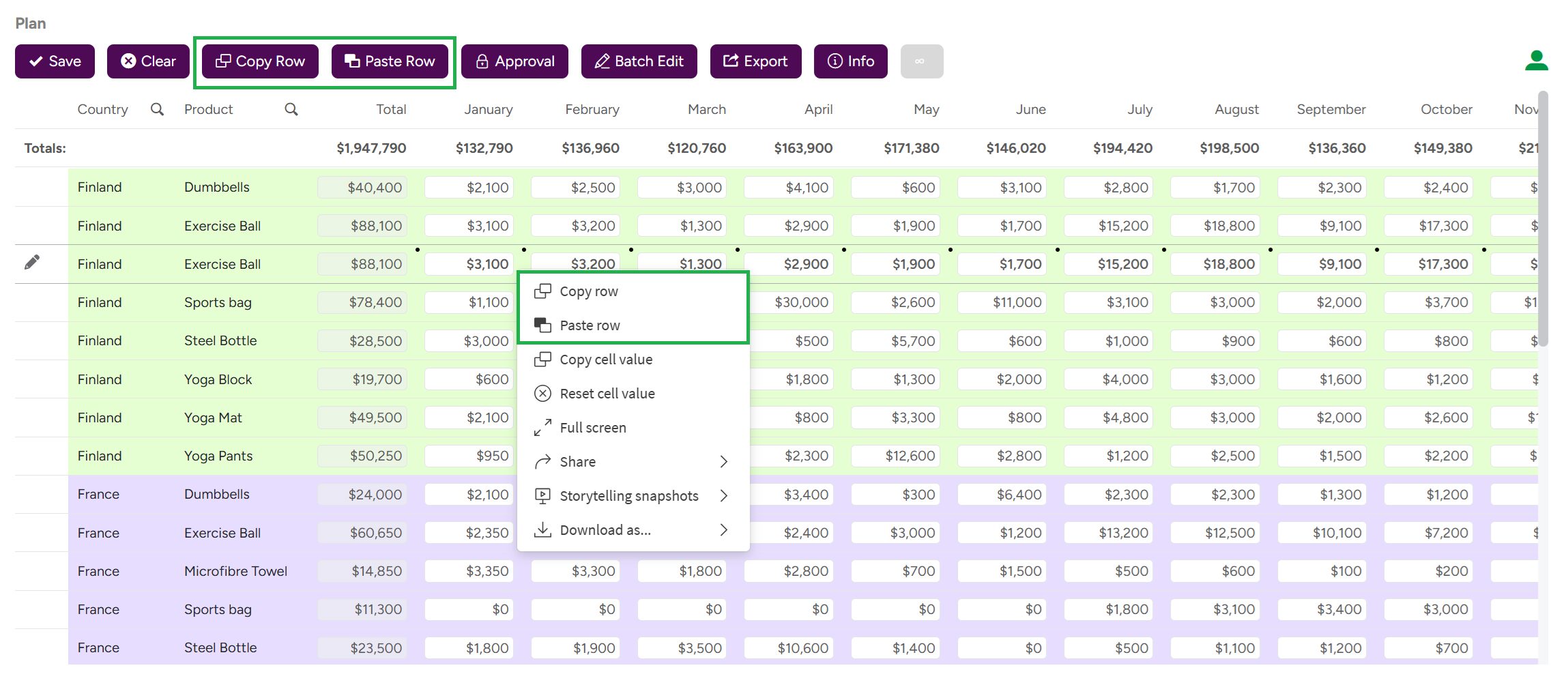
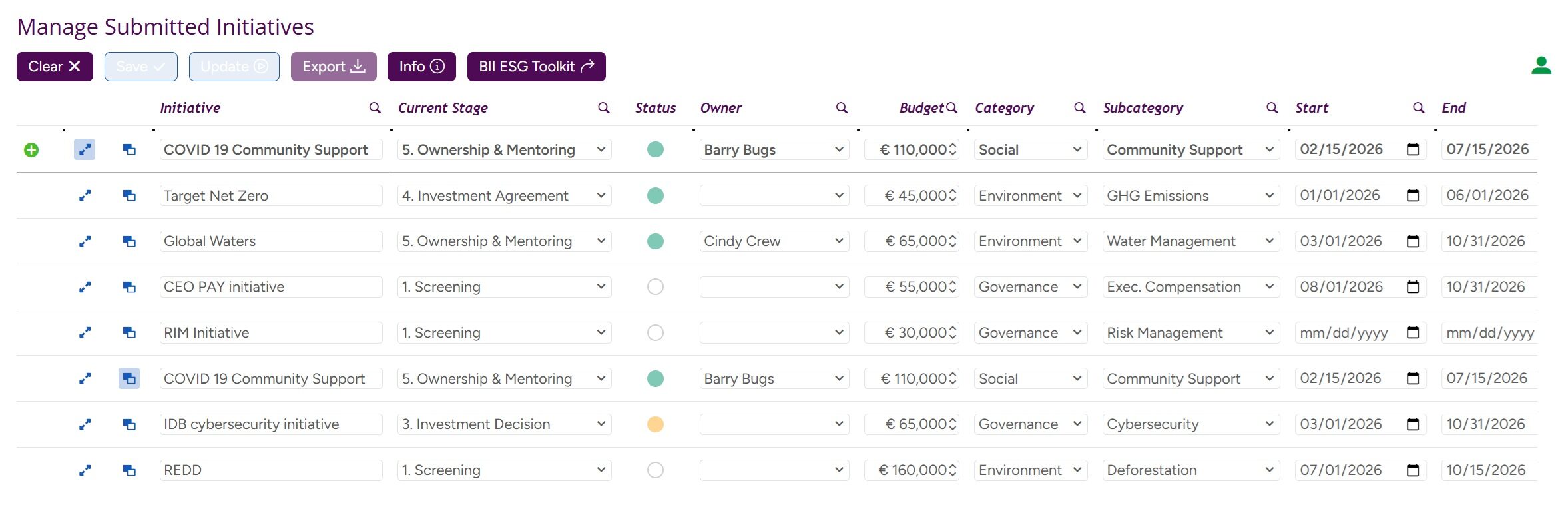
Additionally, the Paste row action can be triggered automatically when a new row is added. Hence, the developer can now easily create a Duplicate button that copies the content of the current button, adds new row and paste values from the original row there. This approach is showcased in the ESG Initiatives demo application.
Other Improvements
The API Keys sheet in the Inphinity Forms Admin application now includes a section for generating and managing Forms API keys. The option to generate an API key for an individual form instance from its edit mode is now deprecated.
As always, we have also addressed reported bugs. You can find the full changelog for Inphinity Forms on this link and for Inphinity Flow here.
Explore lots of free demo applications at Inphinity Universe for more inspiration.
Follow us on LinkedIn.
Enjoy Inphinity 😉!